How to Pay for Your Prescription in the SynergenX App

Written by: LowT Center Clinical Team

Medically reviewed by: Michael Seay, MSN, APRN, FNP-BC

Posted: Sep 14, 2026
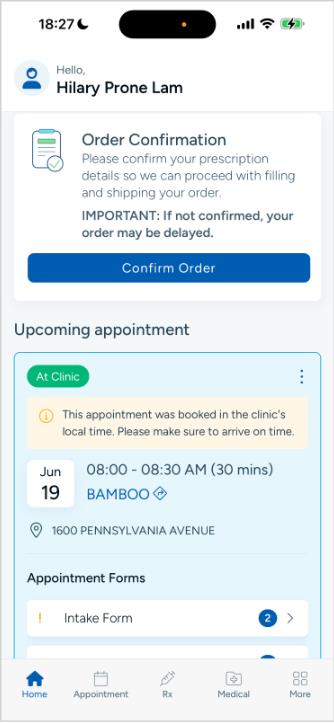
Paying for your prescription is getting simpler. SynergenX, Low T Center, and HerKare patients can now complete prescription payments directly through the SynergenX app. 

In partnership with Village Lane Apothecary, we’re bringing more of the prescription process into one convenient place. That means fewer platforms to manage and a more streamlined way to confirm your order and make your payment. 

The SynergenX app is available for both Apple and Android devices. 

Previously, Self-Inject TRT patients used Scriptly to make prescription payments. As we transition to the new process, those payments will move directly into the SynergenX app. 

You’ll be able to review your medication, confirm important information, enter your payment details, and complete your order from the same app you already use for SynergenX. 

Here’s how it works.

How to Make a Payment in the SynergenX App

Once your order is ready for confirmation, open the SynergenX app and follow these steps:

1. Select “Confirm Order” 

 Log in to the SynergenX app. On the homepage, find the Order Confirmation card and select “Confirm Order.” 

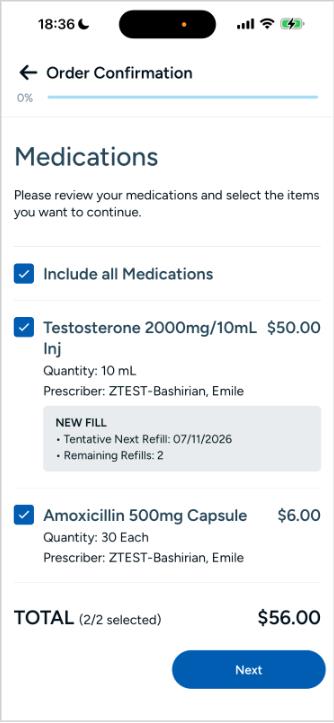
2. Review Your Medications 

You’ll begin with Step 1: Medications. Review the medication information associated with your order, then select “Next.” 

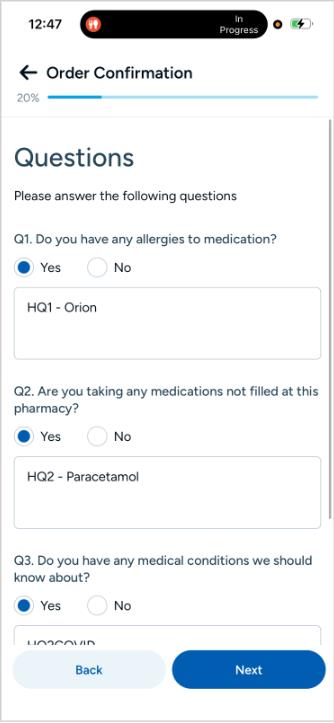
3. Answer the Required Questions 

Complete Step 2: Questions, then select “Next” to continue. 

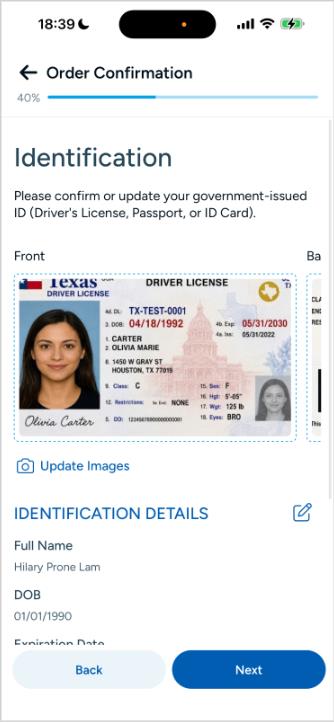
4. Confirm Your Identification 

Complete the requested information under Step 3: Identification, then select “Next.” 

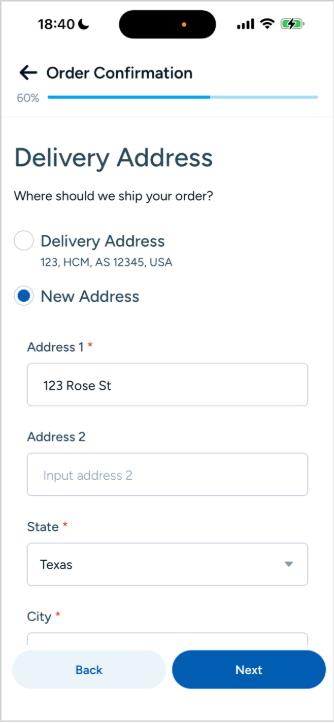
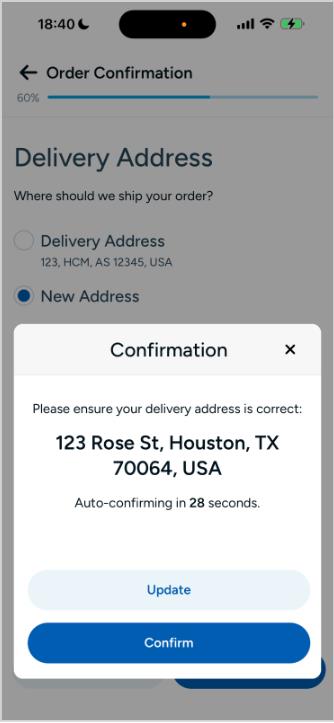
5. Confirm Your Delivery Address 

Under Step 4: Delivery Address, review or enter the address where your prescription should be delivered. Once everything is correct, select “Next.” 

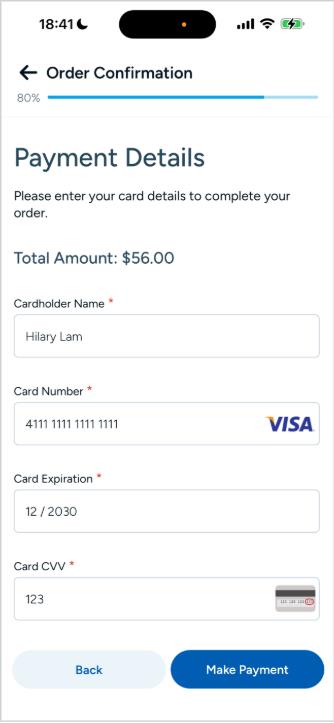
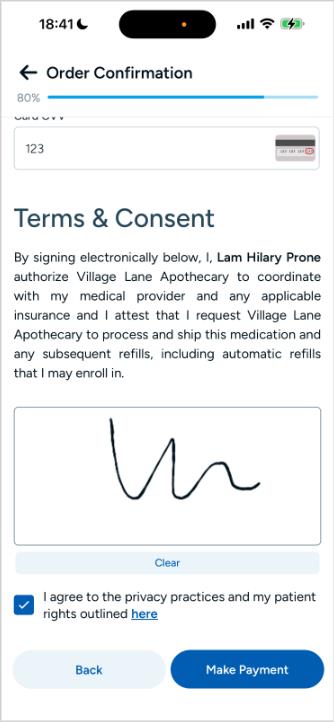
6. Enter Your Payment Details and Review Consent 

Complete Step 5: Payment Details & Terms & Consent. Review the information carefully before proceeding. 

7. Select “Make Payment”

When everything is complete, select “Make Payment” to finish your Order Confirmation. 

That’s it. Your prescription payment and order confirmation are complete without having to leave the SynergenX app.

What If I Don’t Have the SynergenX App?

If you haven’t downloaded the app yet, now is a good time to get set up. 

While app payments are not mandatory yet, the SynergenX app will eventually be required for Telehealth and Self-Inject TRT prescription payments. Patients will be notified before that change takes effect. 

The app is available for both Apple and Android devices, so you can download it now and be ready when your next prescription is due. 

Medically reviewed by:
Micheal Seay, MSN, APRN, FNP-BC
Michael Seay, MSN, APRN, FNP-BC
Michael Seay is a Board-Certified Family Nurse Practitioner (FNP-BC) with over 16 years of clinical experience in emergency medicine, urgent care, gastroenterology, geriatric care, and hormone optimization therapy for men and women. He holds a Master of Science in Nursing from Walden University and a Bachelor of Science in Nursing from Platt College School of Nursing. He is certified in hormone pellet placement and weight loss therapies, with a clinical focus on individualized, patient-centered care.

Related Posts

Disclaimer: This article is made available for general, entertainment and educational purposes only. The opinions expressed herein do not necessarily reflect those of Low T Center. You should always seek the advice of a licensed healthcare professional.